
Jigsaws
Sounds
Video
Custom Shows
vba code
NaviSlides
Games for teachers
Bullets
Triggers
Security
Flash Cards
Multiple Instances
PowerPoint 2007
Mail Merge
Random events
Animation
Hyperlinks
Set spellcheck language




Remove recent colors from the UI
If you are creating a template for a client and have used colors outside of the scheme while working they often appear as Recent Colors. This means the new user will be able to click and apply them which is probably unwanted!
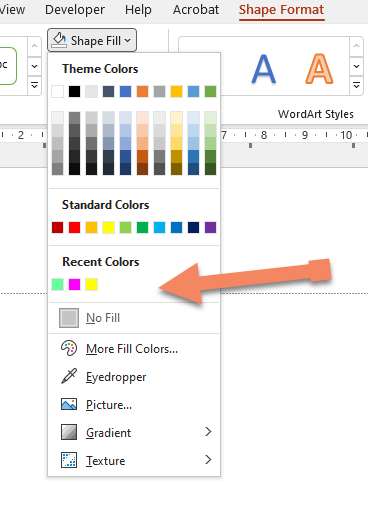
There doesn't seem to be an easy way to remove them so here ids how to do it!
Open the VBA Editor by pressing ALT f8
INSERT > Module
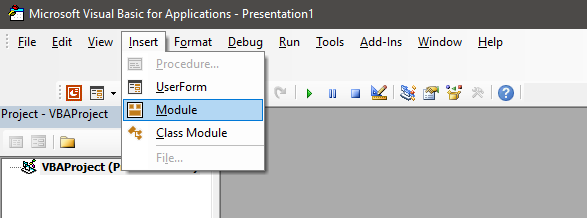
Paste this into the module.
Sub Kill_recents()
ActivePresentation.ExtraColors.Clear
End Sub
Run the code by pressing f5
Recent colors are cleared!
Articles on your favourite sport
Free Microsoft PowerPoint Advice, help and tutorials, Template Links
This website is sponsored by Technology Trish Ltd
© Technology Trish 2007
Registered in England and Wales No.5780175
PowerPoint® is a registered trademark of the Microsoft Corporation