|
Amazing techniques which will transform your use of PowerPoint presentations. Make your presentation stand out from the crowd! |
|
|||||
Simple Merge - New Version June 2011 Unlike Word, PowerPoint does not have the in built facility to Mail merge. This Add In allows you to merge text from an Excel CSV file or from a simple TXT file into PowerPoint presentations. new version Adds Ribbon Integration (new MERGE tab) for 2007/2010 and 64 bit support and allows text to merge into tables. Simple Merge has functions to merge text and images - if you need a more fully featured solution you won't do better than PPTMerge from Steve Rindsberg's PPTTools. It can merge sounds and videos and probably lots more by now as well as text and pictures. What Can Simple Merge Do? NB This will not work on a Mac Simple Merge Version 2 can merge text from hundreds of clients and produce customized presentations from a common template file. Each template can have one or as many slides as you need. This can save you hours of work! You can mergeALL of the data files OR selected files into one presentation to create e.g. a certificate style presentation where each slide or set of slides has the data for one person or client OR produce a separate presentation for the selected client(s) each with unique data. You can use this to produce presentations custom tailored to the audience. The text fields to merge can be in textplaceholders, text boxes, tables or shapes that can contain text. IT WILL NOT WORK with groups, graphs or Smart Art. If it doesn't do what you need there is a simple no quibble money back in full valid for 30 days guarantee. What it Won't Do! Simple Merge 2 will not merge directly from Excel you must be able to save your data as a CSV or TXT file. Simple Merge is primarily for merging TEXT though it can merge in image files too. You can "only" have up to 1000 Data entries each with up to 100 fields each! Fields cannot contain commas (this is because the CSV file relies on commas to separate the data) Text can only be merged into PowerPoint text placeholders, textboxes, tables or Autoshapes. You cannot merge into graphs, groups or Smart Art in 2007. Simple merge ONLY works in versions of Office from XP onwards. It will NOT work in 2000 or 97 or with a Mac. Simple Merge will not merge video, sound or anything else except text and pictures but if like many users you just need to merge some text and a small number of picture fields with PowerPoint it will do this quickly and easily and save you hours. How Much Simple Merge2 is US$19.99. Roll over the picture.... 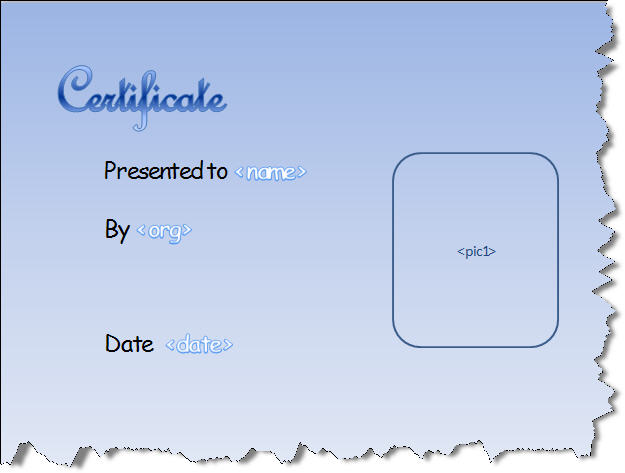
Buy securely on line and you will get an email within 30 minutes with download instructions. If it doesn't arrive please check your spam folder. We check the download database regularly and manually send a follow up e mail if you don't download. If you have 64 bit Office (not just 64 bit Windows you should read here if the ribbon does not update automatically.
|
|
|
|||
This website is sponsored by Technology Trish Ltd |
|||||