

Jigsaws
Sounds
Video
Custom Shows
vba code
NaviSlides
Games for teachers
Bullets
Triggers
Security
Flash Cards
Multiple Instances
PowerPoint 2007
Mail Merge
Random events
Animation
Hyperlinks
Set spellcheck language




PowerPoint Crop to Irregular SAhape
If you want to extract a part of an image you can use the Remove Background tool in recent windows versions of PowerPoint. However, some people find this hard to use. Here's another way.
Look At This Example

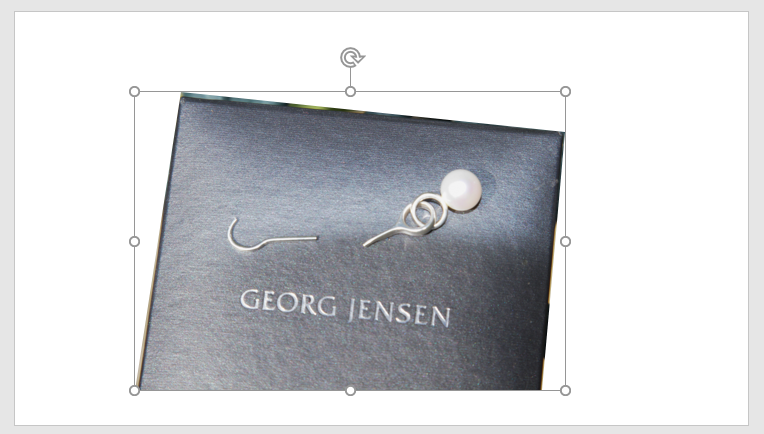
I want to cut out the earing box.
Step One
Use any of the freeform tools to draw around the box and create a shape exactly the same size and shape.

Important
Click on a blank area to deselect the new shape.
Select the image (not the new shape) and then SHIFT click the new shape to select both.
Now go to Drawing Tools > Format > Merge Shapes and select INTERSECT

You should get this:
Articles on your favourite sport
Free Microsoft PowerPoint Advice, help and tutorials, Template Links
This website is sponsored by Technology Trish Ltd
© Technology Trish 2007
Registered in England and Wales No.5780175
PowerPoint® is a registered trademark of the Microsoft Corporation