|
Amazing techniques which will transform your use of PowerPoint presentations. Make your presentation stand out from the crowd! |
|
||||||
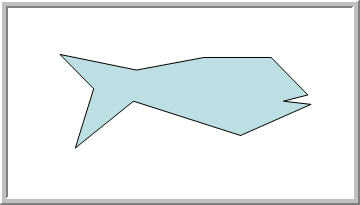
Create an Autoshape 2 Did you read Autoshapes 1 first? We now have the crude shape but it's very angular and most fish don't have sharp corners.
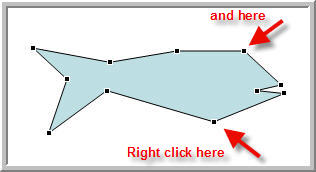
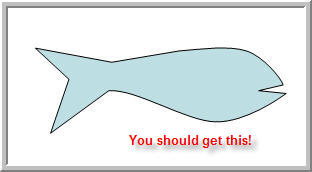
Lets modify our crude shape. Start by right clicking and select "edit points". Now right click on either of the indicated points and choose "smooth point" This changes the point's properties and should greatly improve the shape.
Practice these techniques before going on to adding and deleting points. (COMING SOON!) If you're interested in advanced drawing techniques have a look at the drawing tutorial by Jerry Lee (Basic!! Powerpoint Art ") Its here.
|
|
|
||||
This website is sponsored by Technology Trish Ltd |
||||||