|
Amazing techniques which will transform your use of PowerPoint presentations. Make your presentation stand out from the crowd! |
|
|||||
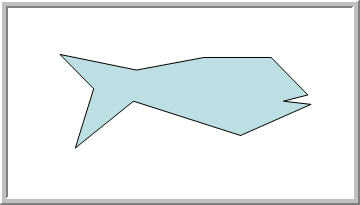
Create an Autoshape There are a large number of autoshapes available in PowerPoint but quite often the simple shape you need just isn't there! Lots of people have asked how to create a simple autoshape like this very crude fish shape (don't worry we'll be improving it!
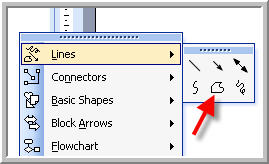
9/10 people that ask have already tried and they often use the line tool to create a series of lines and then group them into the shape. This does give you a shape but you can't fill a group so it isn't really what they're looking for.
You'll find that you can change the fill, scale the shape and rotate it with a green handle just like a normal autoshape. Try creating a few more shapes before moving the lesson 2 Knocking off the corners! |
|
|
|||
This website is sponsored by Technology Trish Ltd |
|||||